

- Home
- My Radius VPS
MikroTik · RADIUS on your own server · My Radius VPS
All of My Radius, on a server that is your network's alone.
The same panel you know: hotspot cards, broadband subscribers, packages and company Wi-Fi, but on a VPS of your own. We set it up and hand you the panel's link and sign-in, and you run your network without ever dealing with the server itself.
Plans
Choose your server
Every plan is a server of your own with its resources and the whole My Radius panel. Each plan lists its resources and what it includes.
Plans are being updated. For a quote today, Contact Us
How you start
From order to first subscriber in three steps
No installing and no server settings on your side: you order, you receive your panel.
Order the plan
Pick the plan that fits your network and complete the order.
We set your server up
We install everything on your server and send you the panel's link, a sign-in name and a first password you replace at your first sign-in.
Add your networks and start
Connect a MikroTik router with one line, as on My Radius Cloud, then make your packages, cards and subscribers.
Who it is for
For those who want My Radius on a server of their own
One service, and three reasons a server of your own is the choice.
A large network
Your network has outgrown shared plans
A server whose resources are your network's alone: nobody shares it, and you see its load.
- All the server's resources for your network
- Your data on your own server
- The server's state and resources in your panel
A service provider
You want to sell the service to other networks
Make your plans and add your clients; each client has his own sign-in, panel and limits.
- The service under your name, logo and colour
- Renew, stop and start from your panel
- Open a client's panel to help him
Your brand
You want an address and a name of your own
The panel, the subscribers' page and the staff sign-in on one address that is yours.
- Your domain from the panel, with a certificate
- A name you choose for the subscribers' link
- And another for the staff and distributors' link
Features
What a server of your own adds
Everything in My Radius Cloud, plus what only a server of your own can give.
A server of your own
The panel, the database and the RADIUS server on one server nobody shares with you.
We set it up
You receive the panel ready, with its link and sign-in; no server skills needed.
One-click updates
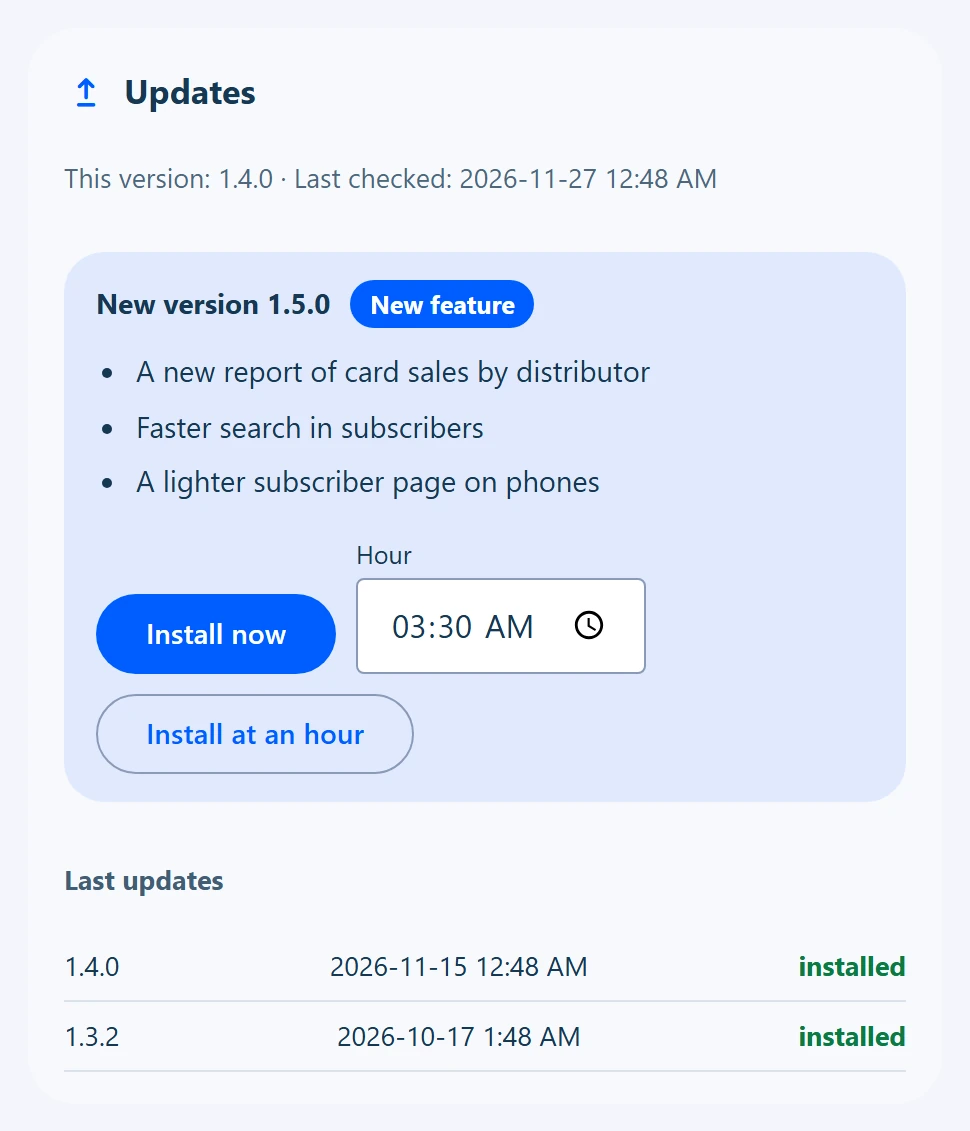
Every new version reaches your panel with what is in it; install it now or at an hour you pick.
It goes back by itself
If an update does not work as it should, the server returns to the version before by itself.
The server's resources in view
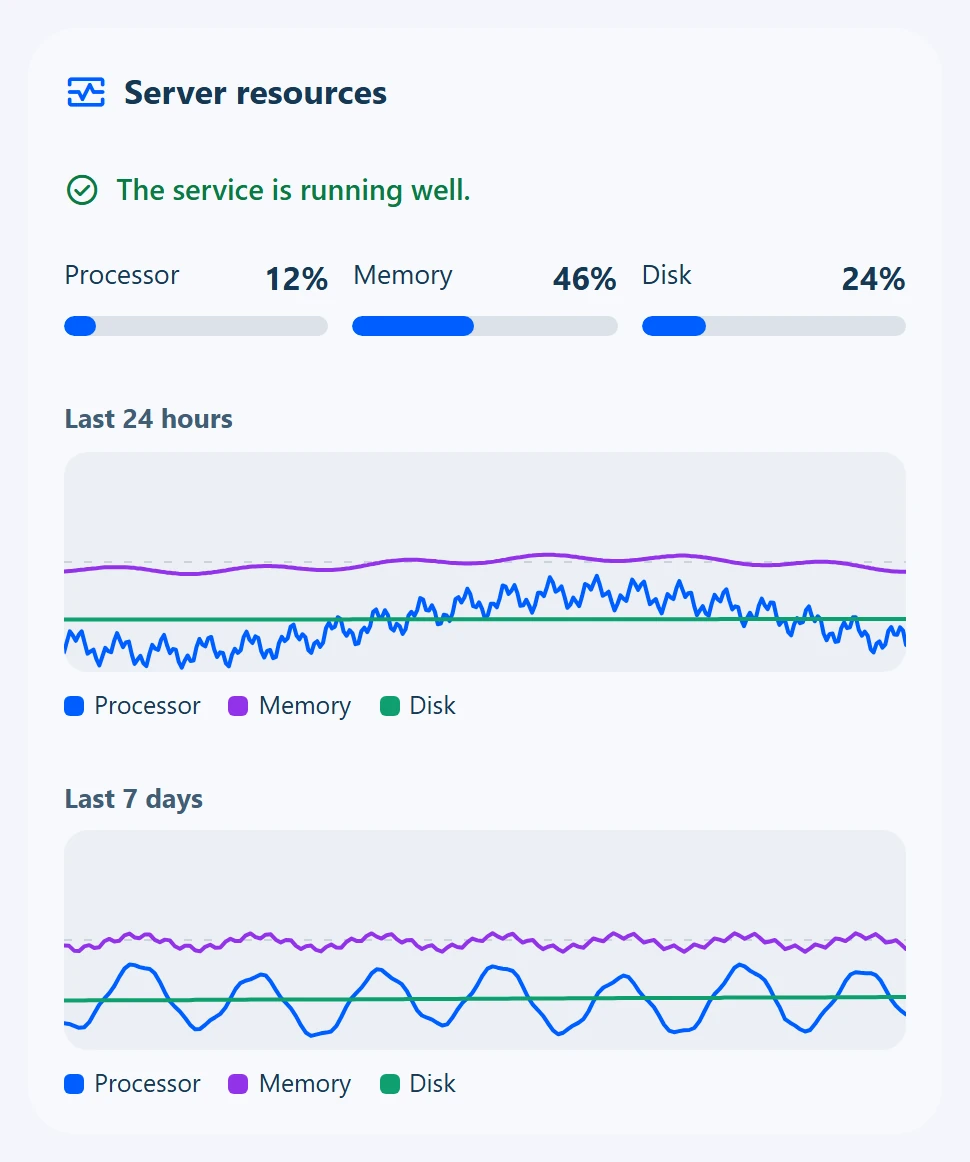
Processor, memory and disk now, and over a day and a week.
Your own domain
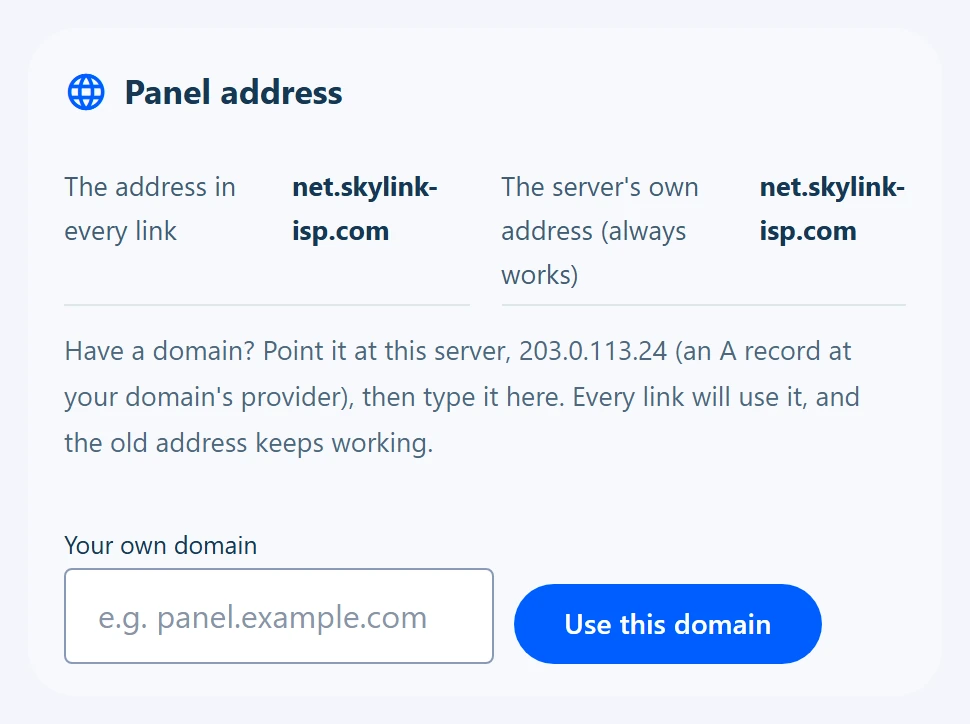
Add your domain from the panel and every link uses it; the original address keeps working.
Links with names you choose
A name for the subscribers' page link, and one for the staff and distributors' sign-in link.
Resale
Sell your plans to your clients from your server; each client gets the whole panel within his limits.
Your name and logo
The service's name, colour and logo on the sign-in page and over the panel.
Your data moved
Your subscribers, cards, packages, accounts and usage history move over from My Radius Cloud.
Everything My Radius does
Hotspot cards, broadband subscribers, packages, distributors, accounts and WPA-Enterprise Wi-Fi.
Works behind any internet line
The router is the one that connects to your server: no public IP and no ports to open at the router.
Server section
A section in your panel called "Server"
Everything about your server in one place, in plain words, without ever touching the server itself.
Every new version arrives with what is in it
A feature update lists what is new; a security update says it is one. Install it now or pick a quiet hour: the panel stops for a minute or two, and subscribers who are online stay online.
Your server's state at a glance
Processor, memory and disk now, a chart of the last 24 hours and of the last 7 days, and a line that tells you the service is running well.
Your domain in one step
Point your domain at the server and type it in the panel: the certificate is prepared and every link moves to it, while the original address keeps working.
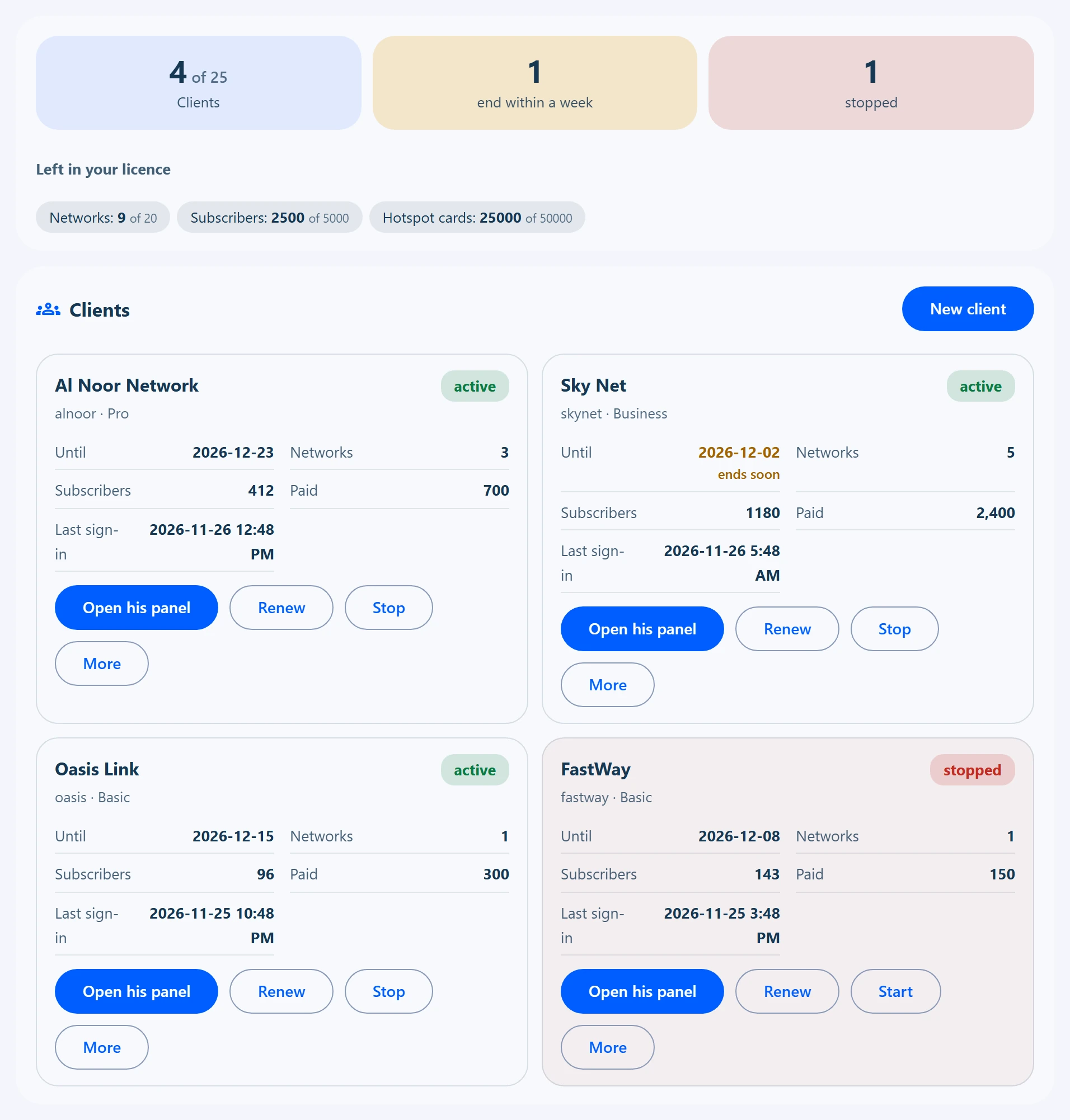
Your clients and their plans on one page
On plans that include resale: plans with their limits, and clients who each have a sign-in and a panel, with renewals, stops and a record of payments.
Resale
Sell My Radius to your clients from your server
Make your plans with their limits and price, and add a client: he receives the sign-in link, his name and a first password. Each client runs his network from his own full panel, and you follow, renew and stop from one place.
Resale is available on the plans that include it; the number of clients and the total limits follow your plan.
- Plans with limits for each client
- A sign-in page with your name, logo and colour
- Renew, stop and start with one click; a client whose time is over stops by itself
- A record of payments for each client
- Open a client's panel to help him, then go back to yours
Moving from Cloud
Move from My Radius Cloud with all your data
Subscribers, cards and their batches, packages, distributors, staff, accounts and usage history all move, so you go on from where you were.
We prepare your data
We take your network's data out of My Radius Cloud and put it on your server.
Add your networks by the same names
Add each network in your new panel by its exact name, and put its new set-up line on the router.
Start the move
One click in the Server section, and the move finishes by itself while you watch its progress.
The networks themselves are not moved, because each router takes a new set-up line on your server; devices opened remotely are added again.
My Radius
My Radius VPS or My Radius Cloud?
The panel and the features are the same; the difference is where your network runs.
This page
My Radius VPS
A server of your own: private resources, your domain, a section for the server and its updates, and resale to your clients. For large networks and for those who sell the service.
See plansarrow_upward cloudOn our servers
My Radius Cloud
Your network on our ready servers: you start within minutes at the lowest cost, and we look after everything about the server.
arrow_forwardCustomer stories
What happy clients says about us?
Delighted customers rave about our exceptional service and support.
FAQ
Frequently Asked Questions
What network owners ask before moving to a server of their own.
What is the difference between My Radius VPS and My Radius Cloud?
The panel and the features are the same. On Cloud your network runs on our shared servers; on VPS it runs on a server that is yours alone, with a section for the server (updates and resources), your own domain, and resale on the plans that include it.
Do I need to know how to manage servers?
No. We set the server up and hand you the panel ready, and you install updates with one click from your panel.
Do I get access to the server itself?
No. The server is dedicated to the service and we look after it; you run your whole network from your panel, where you also see the server's resources and updates.
Are my subscribers cut off during an update?
Subscribers who are online stay online. The panel itself may stop for a minute or two, and if an update does not work as it should the server returns to the version before by itself.
Can I use my own domain?
Yes. The server comes with a ready address, and you add your domain from the panel after pointing it at the server: the certificate is prepared and the links move to it, while the original address keeps working.
Can I sell the service to my own clients?
Yes, on the plans that include resale: you make your plans and add your clients, each client has his own panel and limits, and the service shows your name and logo.
I am on My Radius Cloud now. Does my data move?
Yes: subscribers, cards, packages, distributors, staff, accounts and usage history. You add the networks again on your server by their same names and put the new set-up line on each router; devices opened remotely are added again.
Does the router need a public IP or open ports?
No. The router is the one that connects to your server, so it works behind any home or 4G line.
Which routers are supported?
MikroTik routers on RouterOS 6.47 and later and RouterOS 7, as on My Radius Cloud.
Ready for a server of your own?
Pick a plan and we set your server up, or tell us about your network and we suggest what fits.
