

- Home
- My Radius Cloud
MikroTik · cloud RADIUS · My Radius Cloud
Hotspot cards and broadband subscribers, from one panel.
A ready RADIUS server on our cloud for MikroTik routers: connect a router with one line, create packages, cards and subscribers, and renewals, stops and data limits run by themselves.
Plans
My Radius Cloud plans
Plans differ in their numbers: routers, subscribers, cards and devices. The panel itself is the same in every plan.
Plans are being updated. For a quote today, Contact Us
How it works
Running in three steps
No server of your own and no public IP: the router connects to our server through a secure tunnel.
Order a plan
Your panel is ready right after you order; add your network’s name and your support number.
Paste one line on the router
Copy the line from the panel into the router’s terminal. It connects and sets itself up, leaving your other settings alone.
Create your offers and start selling
Make subscriber packages and hotspot cards, print the cards, and follow everything from your phone.
Who it is for
For hotspot networks and internet providers
Whether you sell Wi-Fi cards, have monthly broadband subscribers, or both on the same router.
Hotspot
Hotspot cards
Make the cards, print them and hand them out; the system does the rest.
- Card batches of any size, their time starting at the first login
- Ready designs or your own, on any paper or a thermal printer
- Distributors, each with his balance and profit
PPPoE
Broadband subscribers
Monthly subscribers with a username and password on their home router.
- Packages by speed, data and time
- Renewals from the subscriber’s own page or with recharge cards
- A page that tells a stopped subscriber why, instead of cutting him off silently
Features
Everything your network needs
From selling the first card to the month’s accounts, in one panel.
Card design and printing
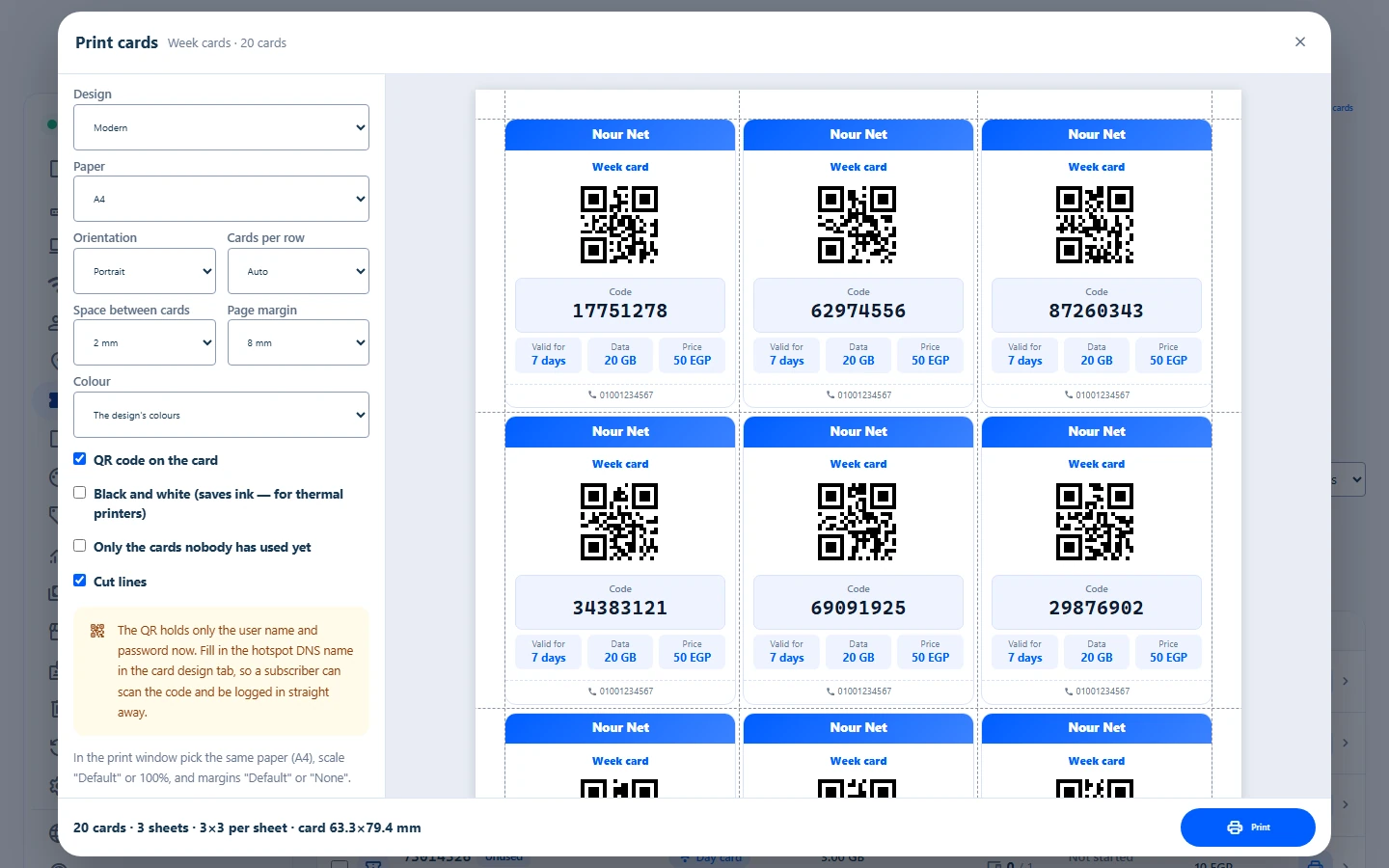
Ten ready designs plus your own with your logo, on A4, any size or a thermal printer, with a QR code.
Flexible packages
Speed, data and time, a daily data limit, a slower speed after the limit, and a peak-hours speed.
A page for each subscriber
He sees his status and usage, renews or tops up by himself, and can install it as an app on his phone.
Distributors and staff
An account for each distributor with his balance and profit, permissions for each staff member, and a log of who did what.
Exact data limits
A subscriber stops exactly at his package’s limit, even at high speeds, and sees the renewal page.
Remote device access
Open cameras, subscribers’ routers and any device on your network from outside, plus Winbox for every router.
Accounts and statistics
Collections, debts and card sales by server, distributor and package, with CSV export.
Family filter and protection
Block adult sites on family packages, and stop a device that tries too many wrong cards.
Subscribers’ map
Every subscriber’s place and state on a map, with control from there.
Reliability
Keeps working on a weak line
The connection is built for weak internet lines and tested on them, and it never touches a setting that is not its own.
- Priority on the internet line: logins and accounting pass before any download.
- If the router’s internet drops, nobody is logged out, and everything carries on when it is back.
- The tunnel reconnects by itself, and the router takes any change from the panel within a minute.
- Your settings and local users stay as they are, and removing the service with one line puts everything back.
The panel
See the panel as you will use it
Real screens from the My Radius panel, with sample data.
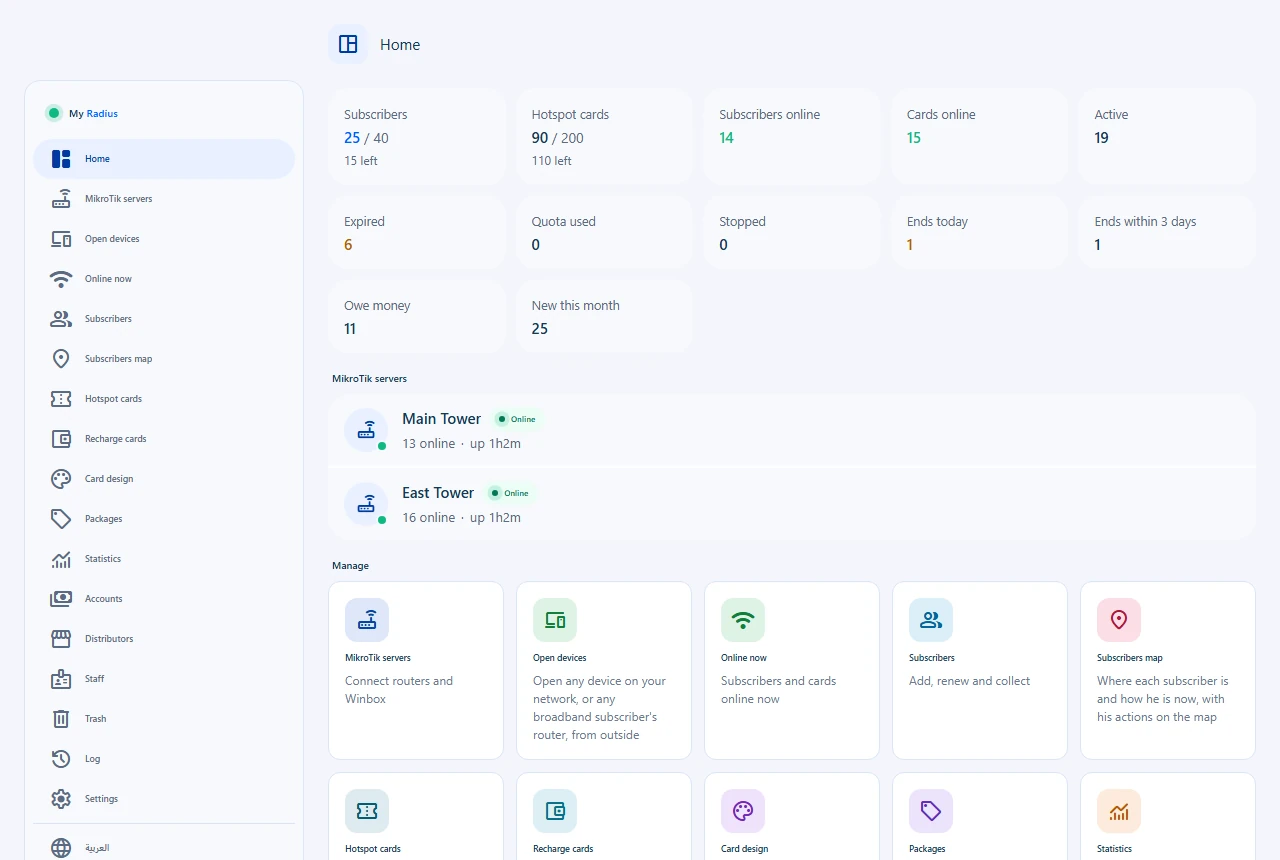
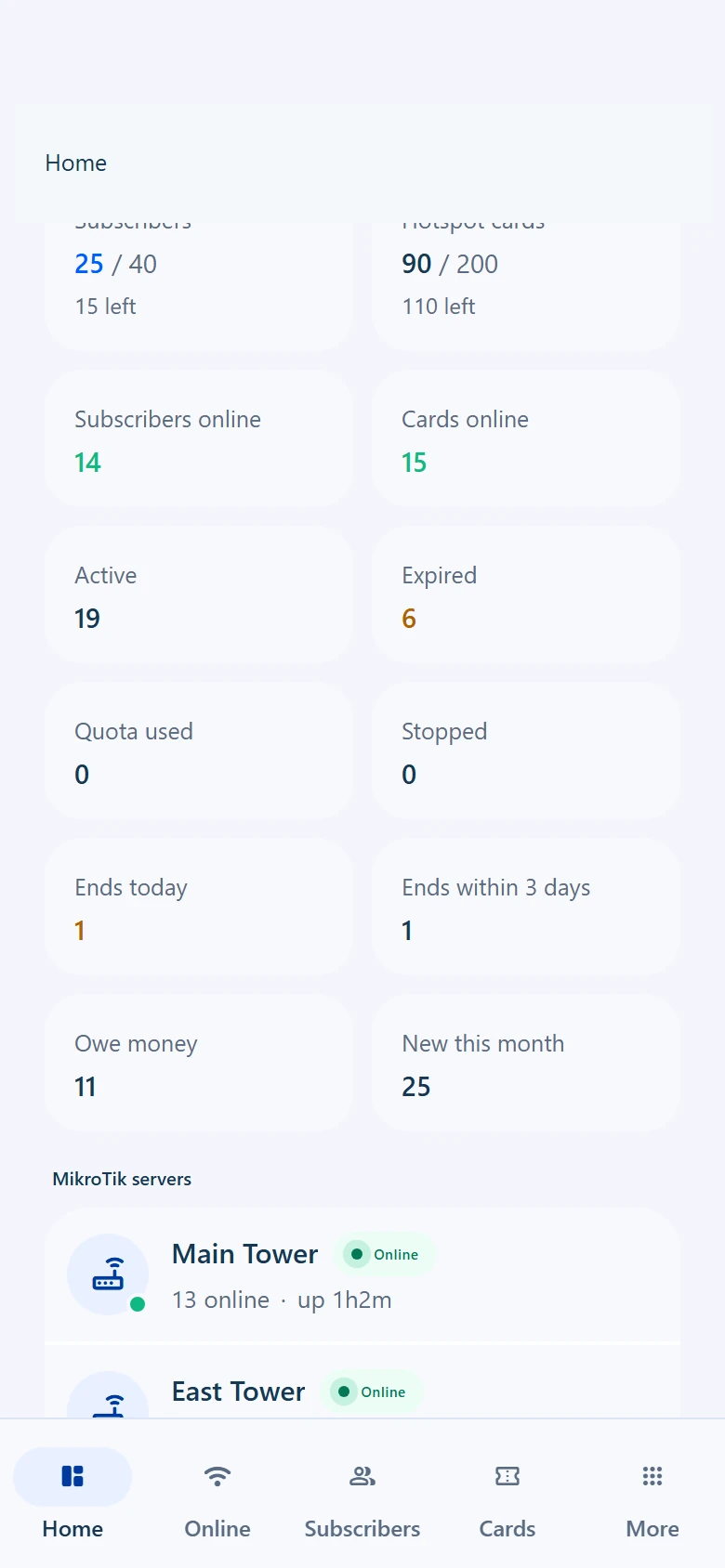
Your whole network on one page
Subscribers and cards online now, who has ended or owes money, and each router’s state.
Print cards your way
Choose the design, the paper and the cards per row, and see the sheet before you print.
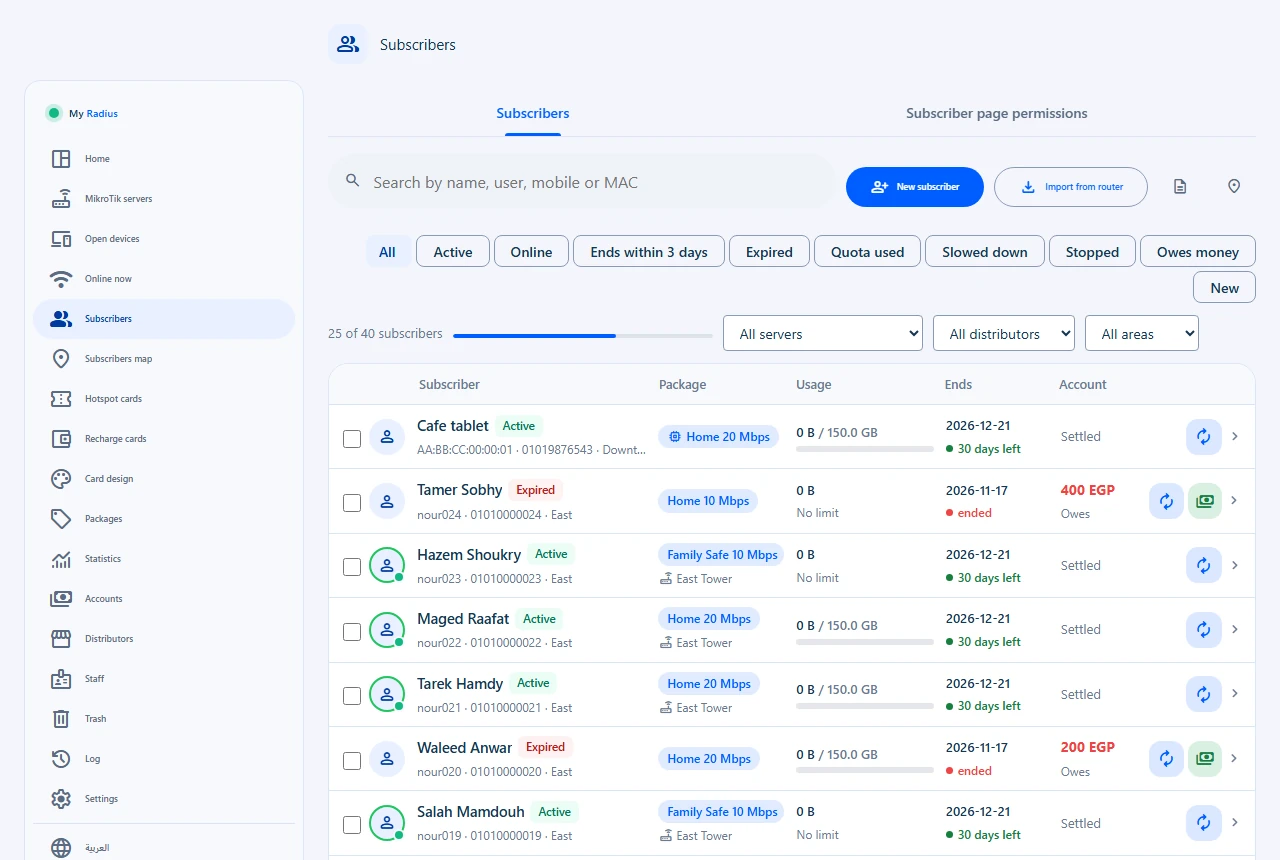
Every subscriber and his state
Package, usage, time left and debt, with renewals and changes in one tap.
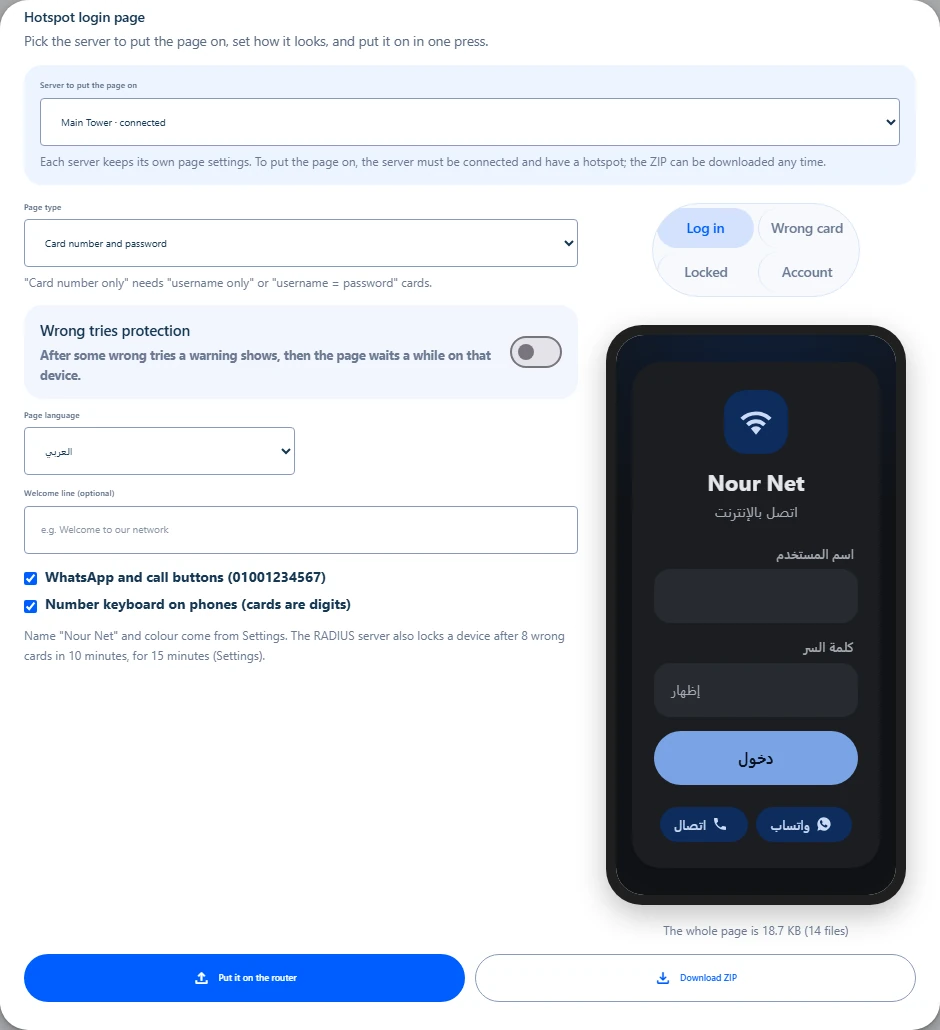
A hotspot login page in your network’s name
A ready page with your network’s name and a welcome message: preview it, then install it on the router from the panel.
The whole panel on your phone
Every section works on a phone, and you can install it as an app.
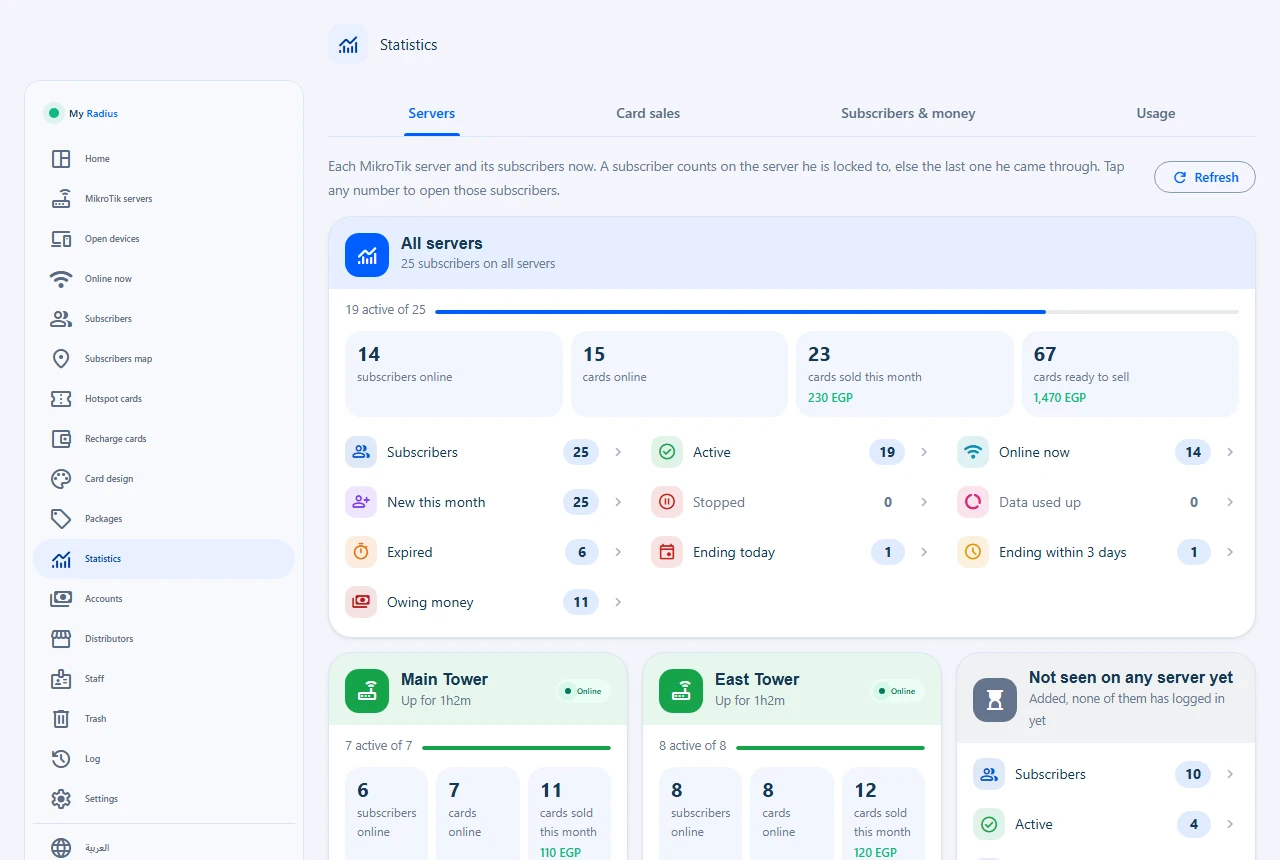
Each server’s numbers and your sales
Subscribers per router, and card sales by day, package and distributor.
MikroTik
My Radius Cloud or MikroManager?
Both are for MikroTik routers, each with its own job.
Customer stories
What happy clients says about us?
Delighted customers rave about our exceptional service and support.
FAQ
Frequently Asked Questions
What network owners ask before they subscribe.
Do I need a public IP or open ports?
No. The router connects to our server through an SSTP tunnel on port 443, so it works behind any home or 4G internet.
Which router versions work?
RouterOS 6.47 and newer, and RouterOS 7, with no extra package to install. On RouterOS 6 the ppp package (and hotspot for a hotspot) must be on, as it comes from the factory; the setup line checks them before anything else.
Will it change my router’s settings?
The line adds only what it needs, each piece commented MY RADIUS, and keeps a backup of the router before the first setup. Your local users and settings stay as they are, and the removal line puts everything back.
Can I move my current subscribers and cards?
Yes. The panel reads the PPPoE subscribers and hotspot users already on the router and moves them in as subscribers or cards, each profile becoming a package you pick.
What happens if the router’s internet drops?
Nobody is logged out during the outage, and when the internet is back the tunnel returns by itself and everything carries on. If the internet works but the tunnel does not connect, the router restarts the tunnel by itself.
Can a subscriber renew by himself?
Yes, from his own page: he sees his usage, renews from his balance or with a recharge card, and asks to change his package.
Can I connect more than one router?
Yes, as many as your plan holds. Each router has its own tunnel and Winbox port, and cards work on every router or on one you choose.
Where is my network’s data kept?
On our own RADIUS servers, with a daily backup, and each client’s data kept apart from everyone else’s.
Run RADIUS for your network today
Pick a plan, connect your router with one line, and start selling cards.
